
What is ApplyList?
2026-09-26
A walk through ApplyList itself: the professors you email, the positions and deadlines you track, the faculty catalog, and the assistant that drafts the next message.
Applying for graduate school or a research job rarely lives in one place. A name sits in a notes app, a deadline sits in a calendar, a thread sits in an inbox, and a month later it is no longer clear who still owes you a reply. ApplyList is the list that holds those threads together.
The front door
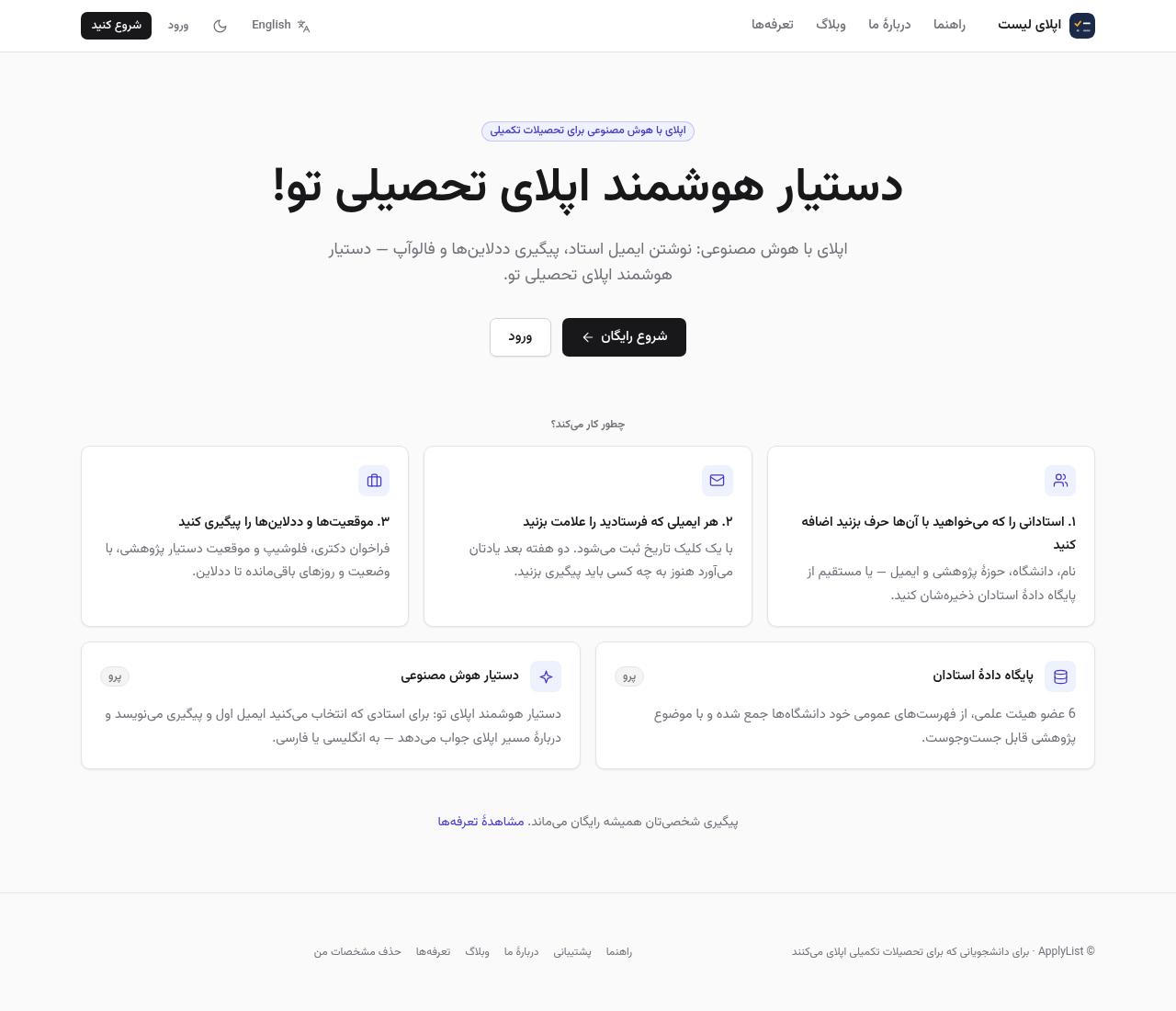
The home page says the quiet part first: tracking your own professors and positions stays free. Pro adds the faculty catalog and the assistant. The language switch in the header opens the same pages in Persian, with their own addresses, so the Persian site is not hidden behind a cookie.
Professors you actually write to
Professors is a list of people, not a list of universities. Each row keeps a name, a university, a research topic, and an email address. When the message goes out, mark it sent and the date is stored. About two weeks later the dashboard shows who still needs a follow-up.
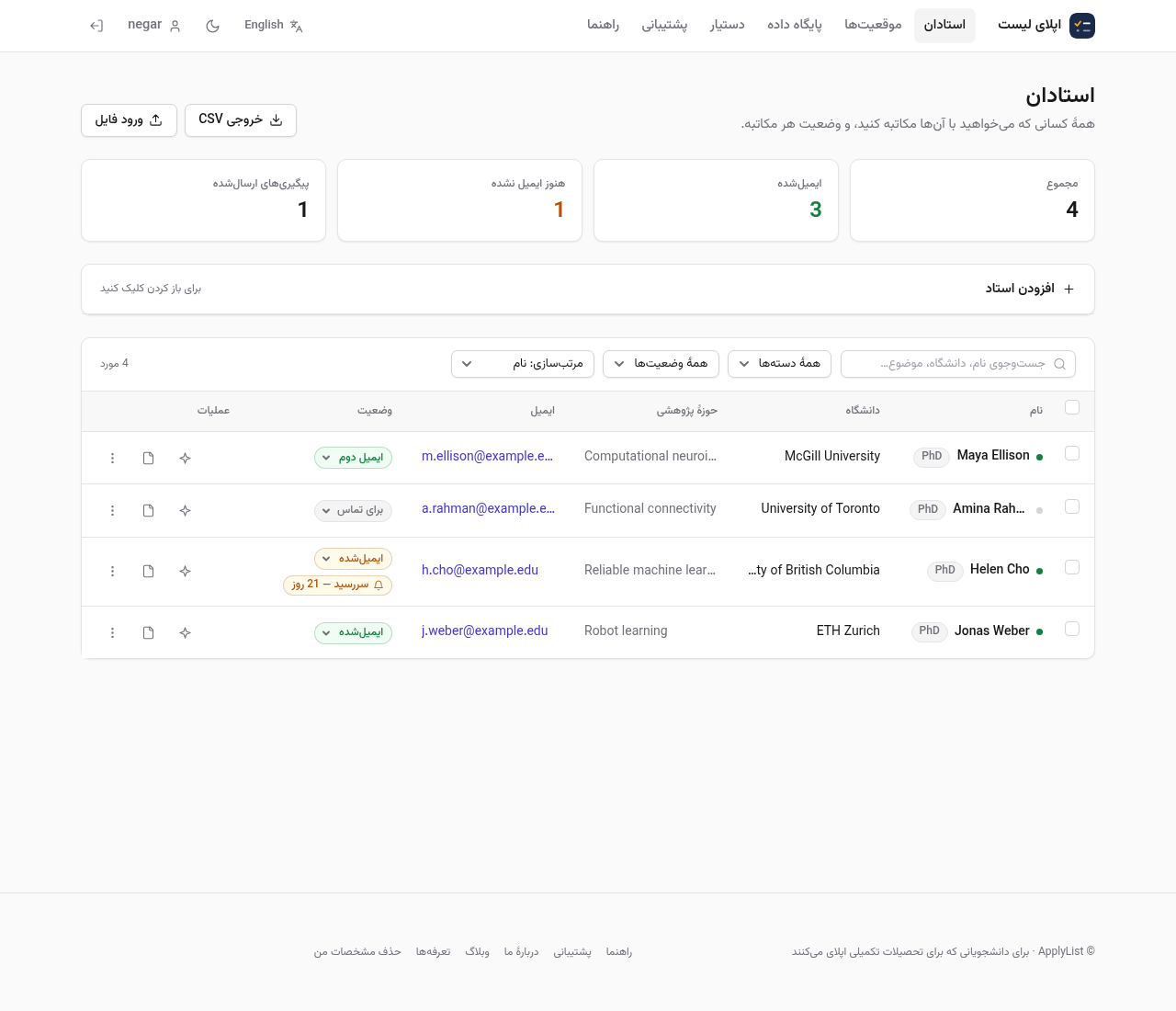
The names, universities, and addresses in these pictures are examples. They are not real people.
Saving someone from the faculty catalog lands them on this same list, so the personal tracker and the directory stay separate.
Positions and deadlines
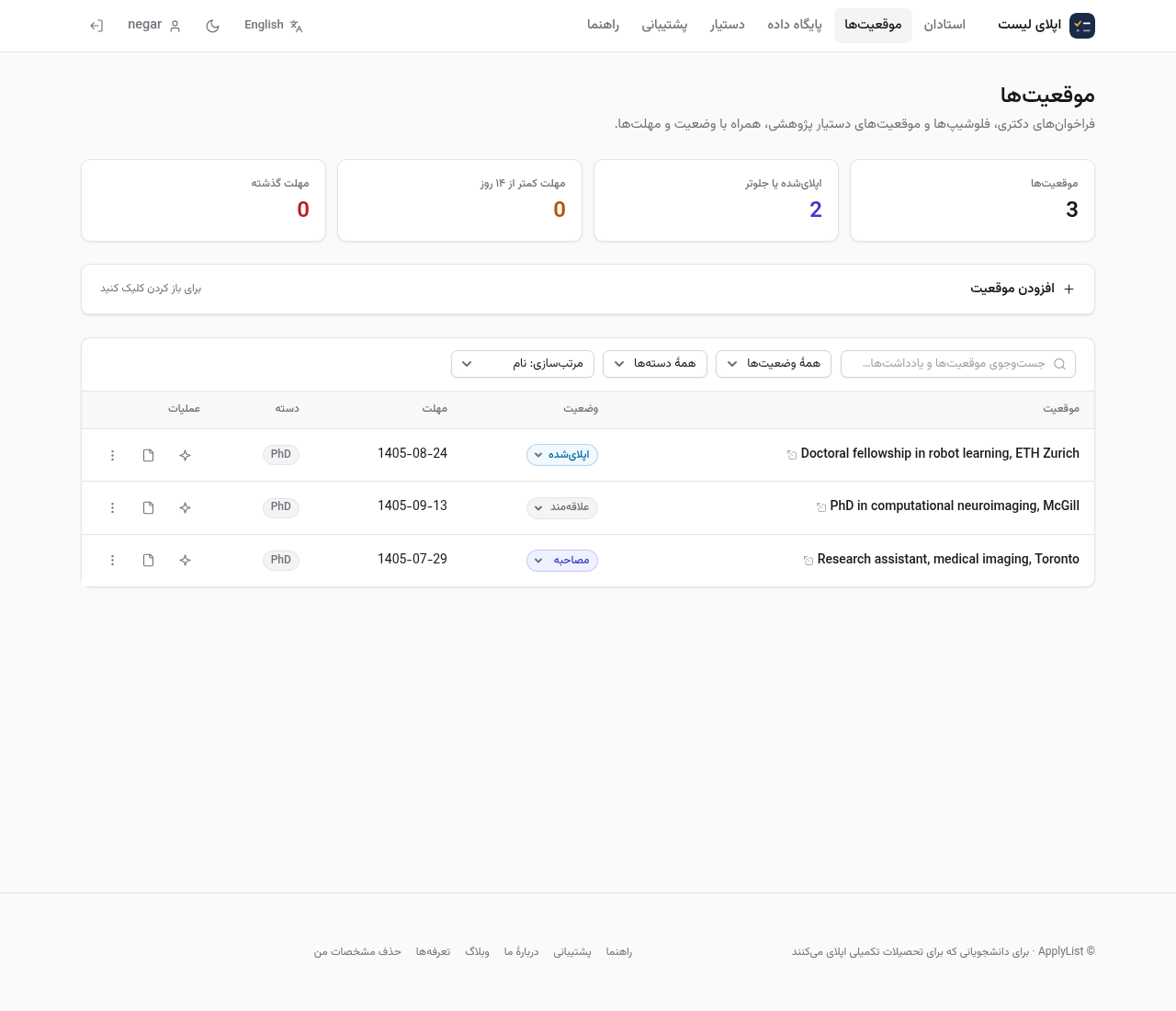
PhD calls, fellowships, and research jobs sit on their own list, each with a status and a deadline. The home page surfaces the ones that are still open and coming up, so a Friday deadline does not live only inside an email.
A small dashboard
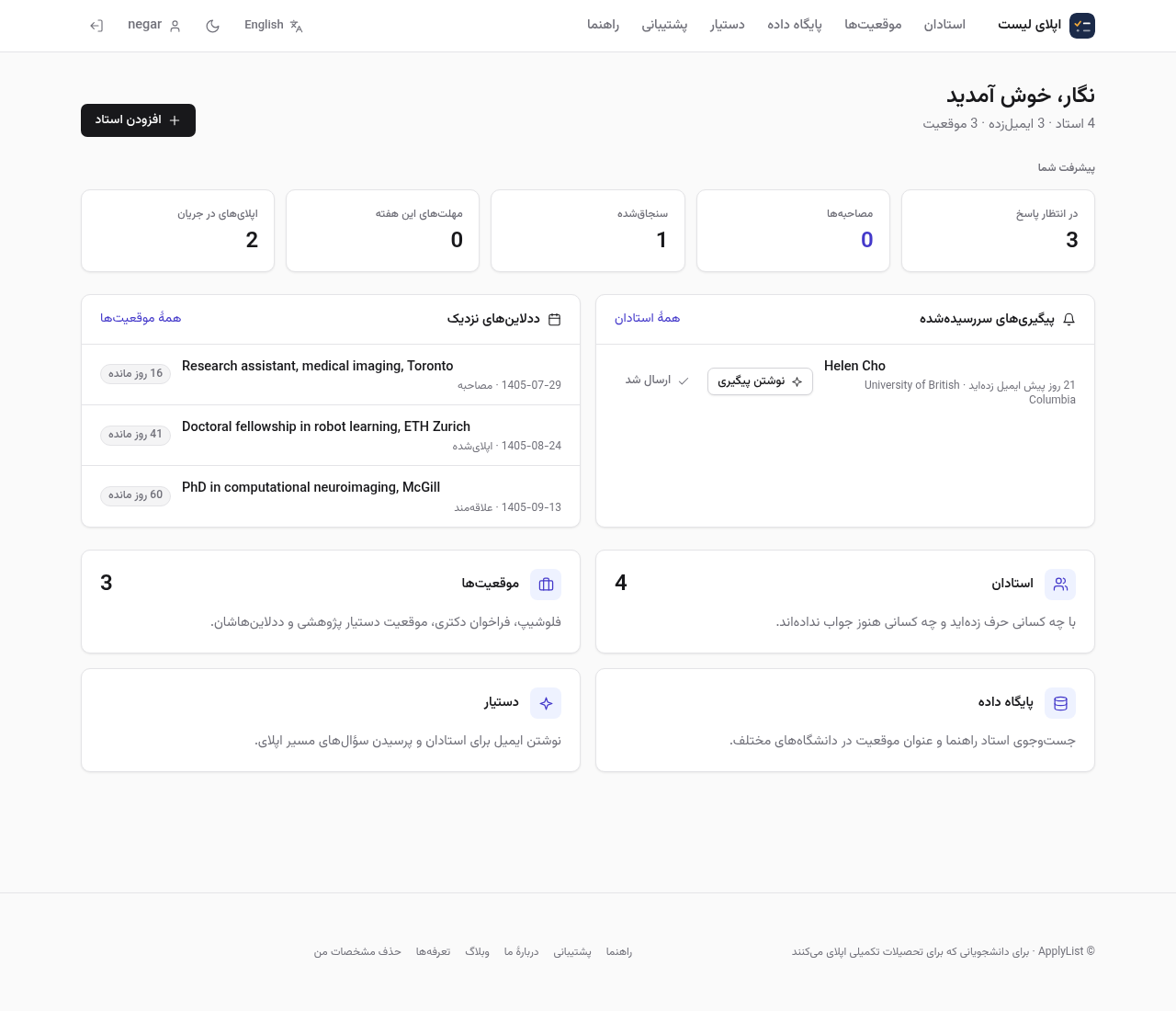
The home of a signed-in account is four facts: how many professors you are tracking, how many of them you have already emailed, how many positions you have saved, and who is waiting on a follow-up. It is a checklist, not a wall of charts.
The faculty catalog
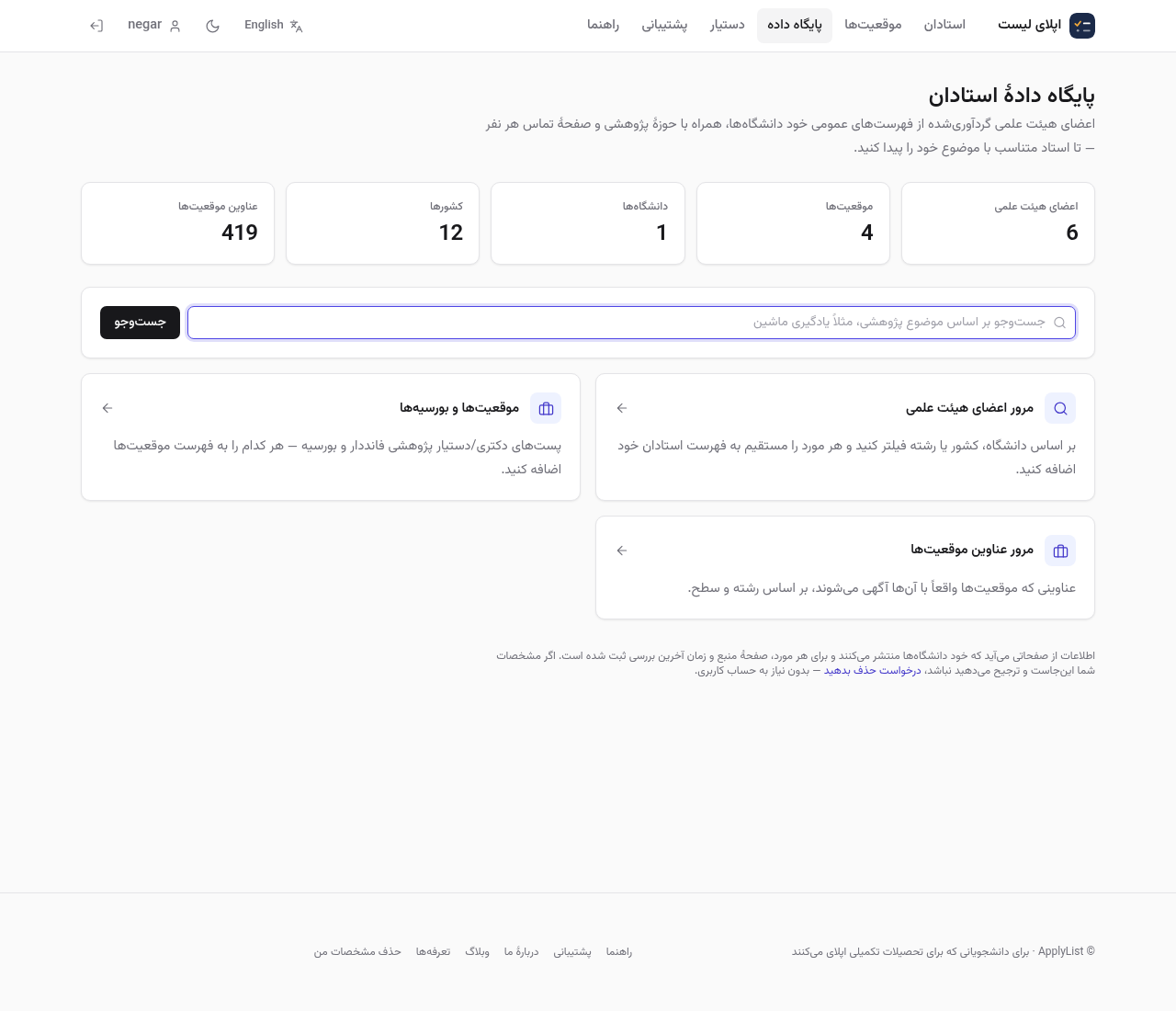
Beside your own list there is a catalog of faculty gathered from public pages universities publish themselves. Every entry keeps the source page it came from. Full search and contact details are part of Pro. Anyone can look at a short preview, and the addresses stay masked there. If you are listed and would rather not be, the removal form needs no account: the entry leaves the search results immediately and a person reviews the request afterwards.
Drafts that do not invent you
The assistant writes a first email or a follow-up against the professor you pick, in English or in Persian. Where it does not know your background, it leaves a bracketed gap for you to fill. That is the difference between a draft you can send and a polished paragraph that is not true.
What it costs
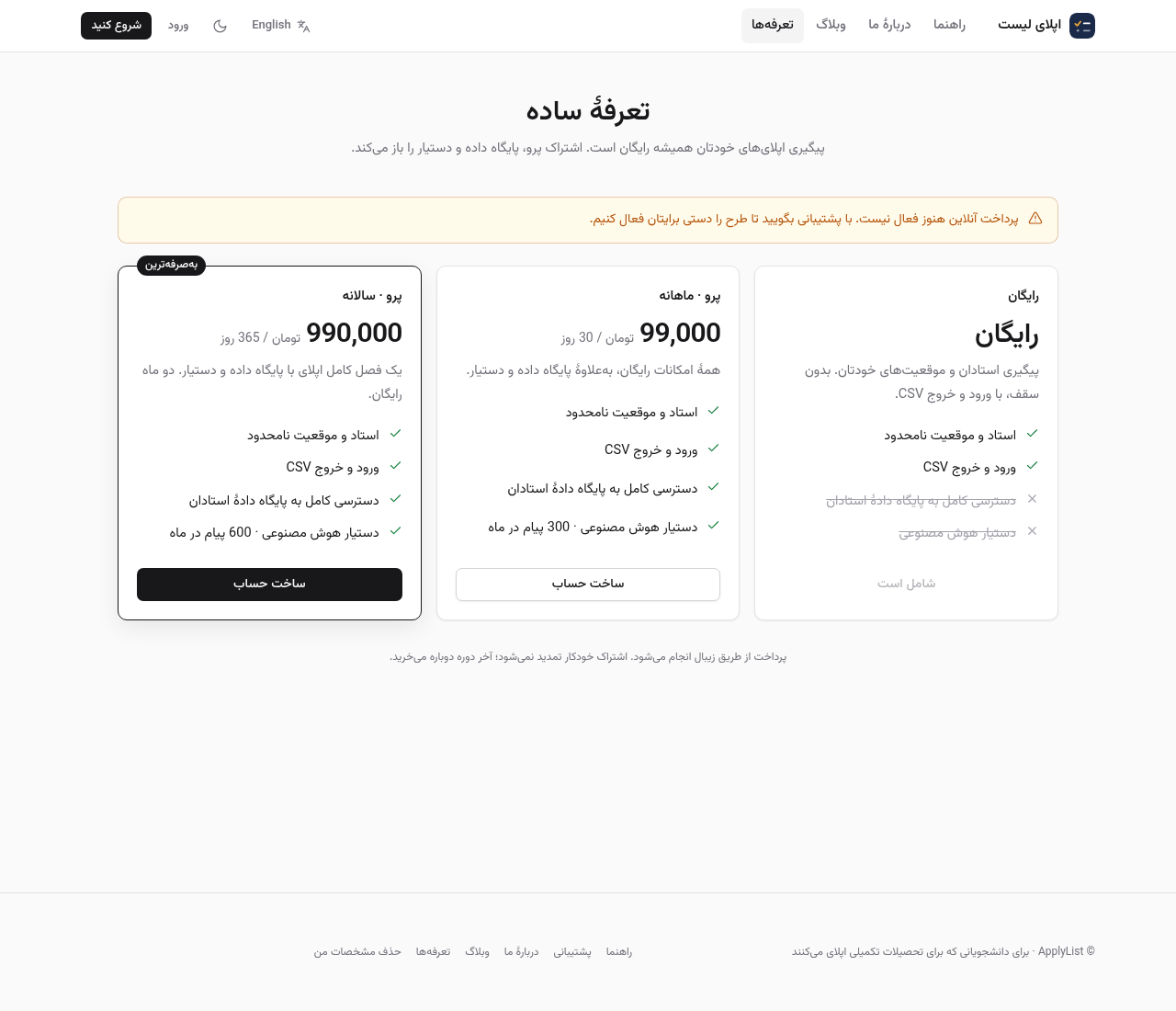
Your own professors, positions, and CSV import or export stay free. Pro is the catalog and the assistant, billed monthly or yearly through Zibal. A subscription does not renew on its own; you choose the next period when this one ends.
Start where you already are
A free account is a name, an email, and a password. From then on the header switches language, the Persian pages live at their own addresses, and the work of applying sits in one list instead of five apps.
Comments
No comments yet.
Sign in to leave a comment.