
What applying is, and how to do it
2026-10-02
Applying means sending a request for a master's, a PhD, or a research place. The order is the program page, the documents it names, the deadline, and a record of who has answered.
Applying is the name for sending a request: a master's, a PhD, a postdoc, or a research stay, usually at a university where you are not already a student. It is not the same as sitting a national entrance exam and waiting for a central assignment. Here the department, and often one professor, reads the file and says yes or no.
If you want the how in one line: find the program on the university's own page, collect the documents that page names, send them before the deadline, and then keep track of who answered. The rest of this note is that line, opened up.

What the word covers
Students use it for the whole request, not for one web form. On a research degree it often has two layers. One is the official application in the university portal, with a fee and uploaded files. The other is a short email to a professor whose recent work sits next to yours, sent before the form or at the same time. Some departments read the file without that email. Some, especially in Canada and parts of Europe, barely move until a professor has agreed to supervise. The program page says which one it is. A guess does not replace that page.
A master's file and a PhD file are not the same shape
A master's application usually leans on grades, the language score, and a statement about why this program. A PhD application usually turns on whether your topic fits someone in the department, and whether that person is taking students this year. People call both by the same word. The documents are not identical, and a text written for one does not survive being pasted into the other.
Pick the program before you assemble the file
A list of famous universities is a weak place to start. The sharper question is which department has someone working on a problem you can actually talk about. That person is usually on the department's own faculty page, with a name and often an address. A round-up copied onto a forum is not that page.
Three to six programs is enough to start. More than that, if you do not retune the statement for each one, becomes the same letter sent many times. Fewer than that, and one refusal can end the season. Choose the country separately from the ranking: the language of instruction, the tuition the university itself publishes, and whether funding comes with the place or has to be requested on a different form. Copy the fee from that page, not from an old table.
For a PhD, read one paper before the email exists.
The order of the work
Where the program has set a date, the order is almost always this.
- Save the program page. Write the degree, the department, and the deadline the way that page writes them. The deadline is in their time zone.
- Collect documents against that list, not against a generic checklist. Transcripts, a language score, a CV, a statement, and recommendation letters are the pieces that show up most often. Pay for an official translation or a stamp only when the page asks for one.
- Open the portal account early. Some systems change the form, or cap uploads, the day before the deadline. Build the account in the first week, not on the last night.
- Ask for recommendations before the other pieces are done. The referee sends the letter into the university's system. You do not attach it yourself. If you ask late, your file stays incomplete and the deadline does not move.
- Read it once more before you pay. Your name, the degree, and the start term should match what you already wrote to a professor. The fee rarely comes back.
- After you submit, keep the receipt. The application number, the payment date, and whether the email went out are facts the inbox will not hand you two weeks later.
Documents almost every program asks for
Each university publishes its own list. These are the ones that repeat.
- Transcripts and the degree certificate. Translate them when the page says to. Do not convert the grade average into another scale unless the form asks for that and explains how.
- A language score. IELTS and TOEFL are the common ones. Some programs want it only after an offer, and some waive it. The waiver, if it exists, is on that program's page.
- A CV of one or two pages: courses, projects, papers, skills. Leave off work you did not do.
- A statement of purpose. One letter for this department, not one text for every university. It has to say why this group, and what you have already done that is related. If the same paragraph could be sent unchanged to the next place, it is not ready.
- Recommendation letters, usually two or three, from people who have seen the work: a course instructor, a project supervisor, a manager. A title held by someone who does not know you does not make the letter stronger.
Take a test such as the GRE only when that program asks. A lot of departments no longer want it. A line that says required, on their page, is more precise than general advice on a social network.

The email to a professor is separate from the portal
On many PhD applications the note to a supervisor comes before the official form. Keep it short: one paragraph on your own work, one sentence on theirs that comes from a real paper, and one question. Ten identical notes in an afternoon are easy to ignore.
Take the address from the department page. An address built from a pattern like firstname@university is often the wrong inbox.
After it goes out, write down the four lines you will need later: the name, the day you sent it, what you asked, and the department deadline.
Deadlines, fees, and funding live on the program page
"Fall deadline" is not one date. Some groups close on the first of December, some in January, and some read files until the places are full. A date copied onto a forum does not count when it disagrees with the university's own page.
Read funding in the same place. Some positions pay a stipend and cover tuition. Some are an offer only, and the money is a separate request. Those are two rows, not one.

After you send it
An answer within a few days is unusual. Many faculty read student mail in a batch. Three quiet days usually means the file is still unopened. About two weeks, with no automatic reply either, is a reasonable time for one shorter note. A third message rarely helps.
Mark a refusal and stop. Sending the same paragraph to the same person in the spring spends a slot you could use on someone who has not answered.
A visa or a study permit is a different process, and it starts after the offer. The fall 2026 note ties the figures to official pages. Decide from those pages.
Keep the requests where you will open them again
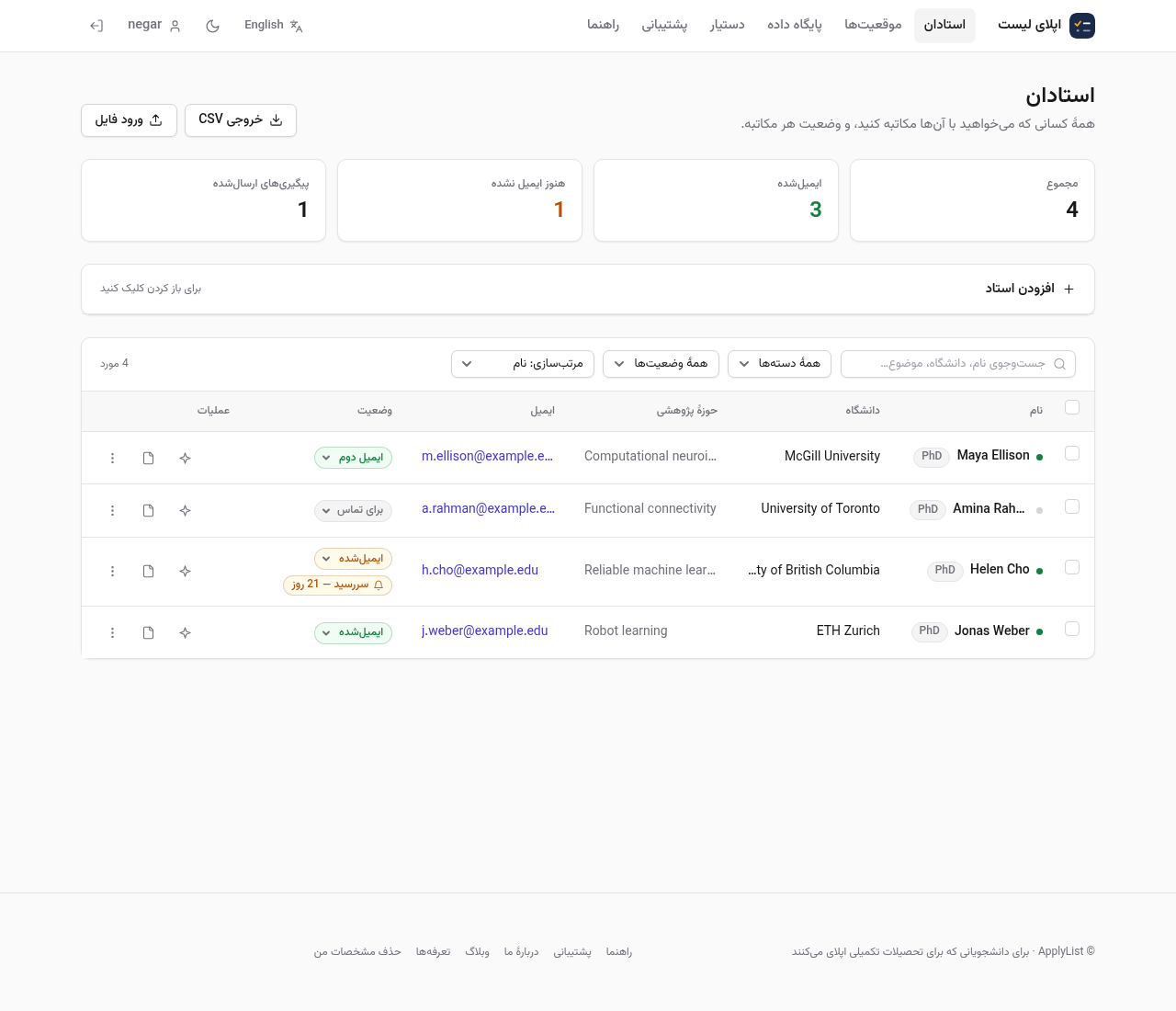
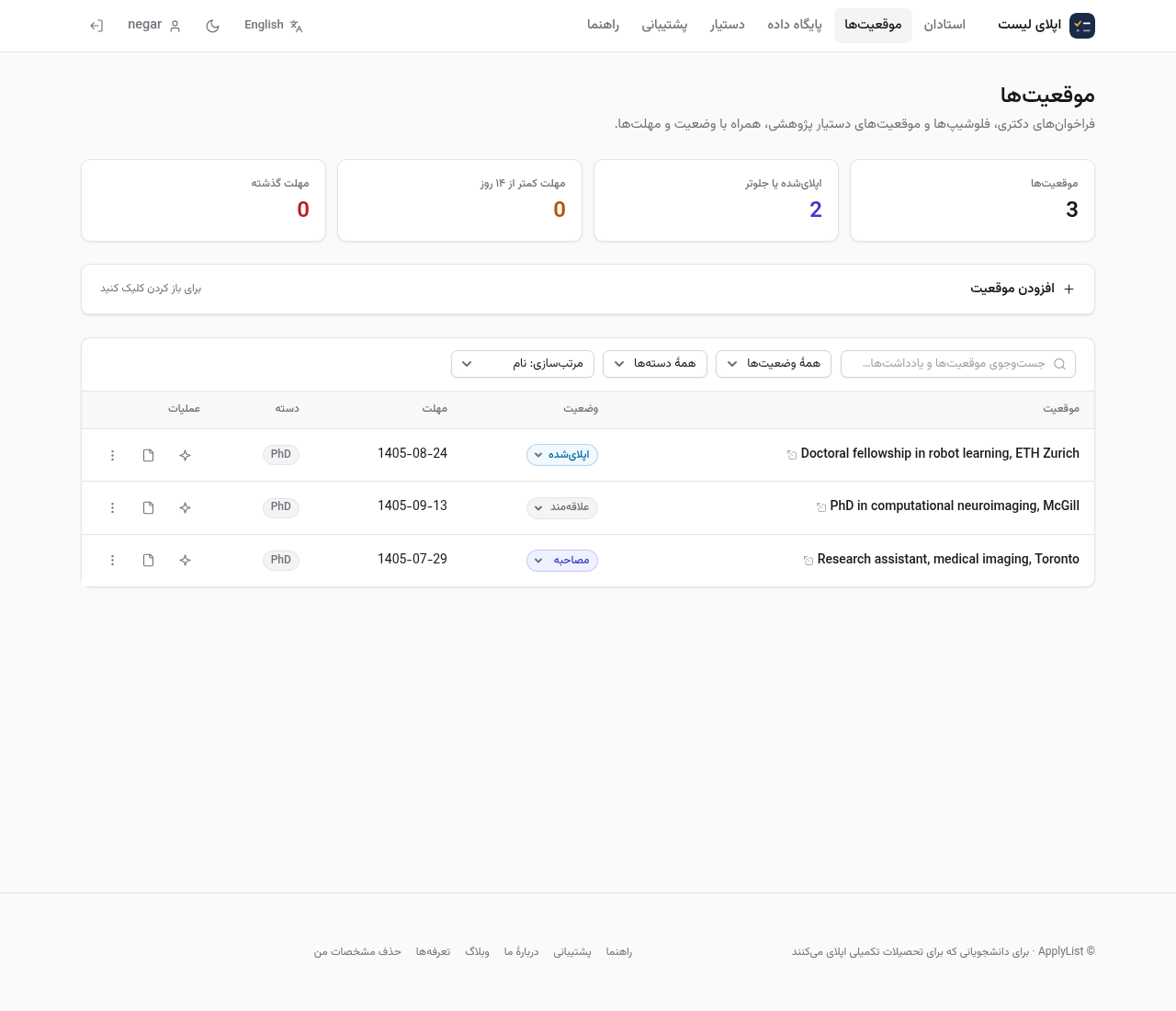
With five programs and a dozen professors open at once, the inbox will not say which deadline is this Friday. On ApplyList the professors are one list and the positions are another, each position with a status and a deadline. Tracking your own contacts and positions stays free. About two weeks later the home page shows who still has not answered. The names in the pictures are examples.
Comments
No comments yet.
Sign in to leave a comment.